
Note: This is a crosspost from my Substack Rhetorical Questions that I decided to share here as the topic relates to a digital artifact project.
Overview:
I write this sentence in the midst of this week’s third “all-nighter” — waiting, dreading, hoping. And, apparently, not reading. Instead of another mea culpa for an audience (or to myself) for not reading enough to write about it, I’ll talk a bit about a brand new hobby.
As anyone who’s stumbled across this blog knows, I am both a believer that digital tools can be used in humanities and social science research to automate certain processes, with that automation itself, used deliberately and strategically, being an inherent detriment. This does not negate the horrific conditions under which AI implementation in higher education has been wildly irresponsible at best, and a deliberate, targeted anti-intellectualism on that serves only the people (ie, companies) that will benefit most. While I just a few weeks ago I wrote on how commercially available AI tools like Claude can accomplish, in broad strokes, tasks that are not dissimilar to the ones that NVivo or Tableau or other tools that I used in graduate school available to UT Austin teachers and students, or in my work for the DWRL.
That being said, this latest “test drive” is as much about what commercial AI models cannot do well as the way digital research tools explicitly designed by and for academics can accomplish. Once again, I’m saving that discussion for a longer post. But given our graduate students are going to be curious about using them anyway — and the line between what “counts as AI,” and what meaningfully separates cognitive off-load of spell-check from AI that does the same thing. I am using the resources I have to explore why.
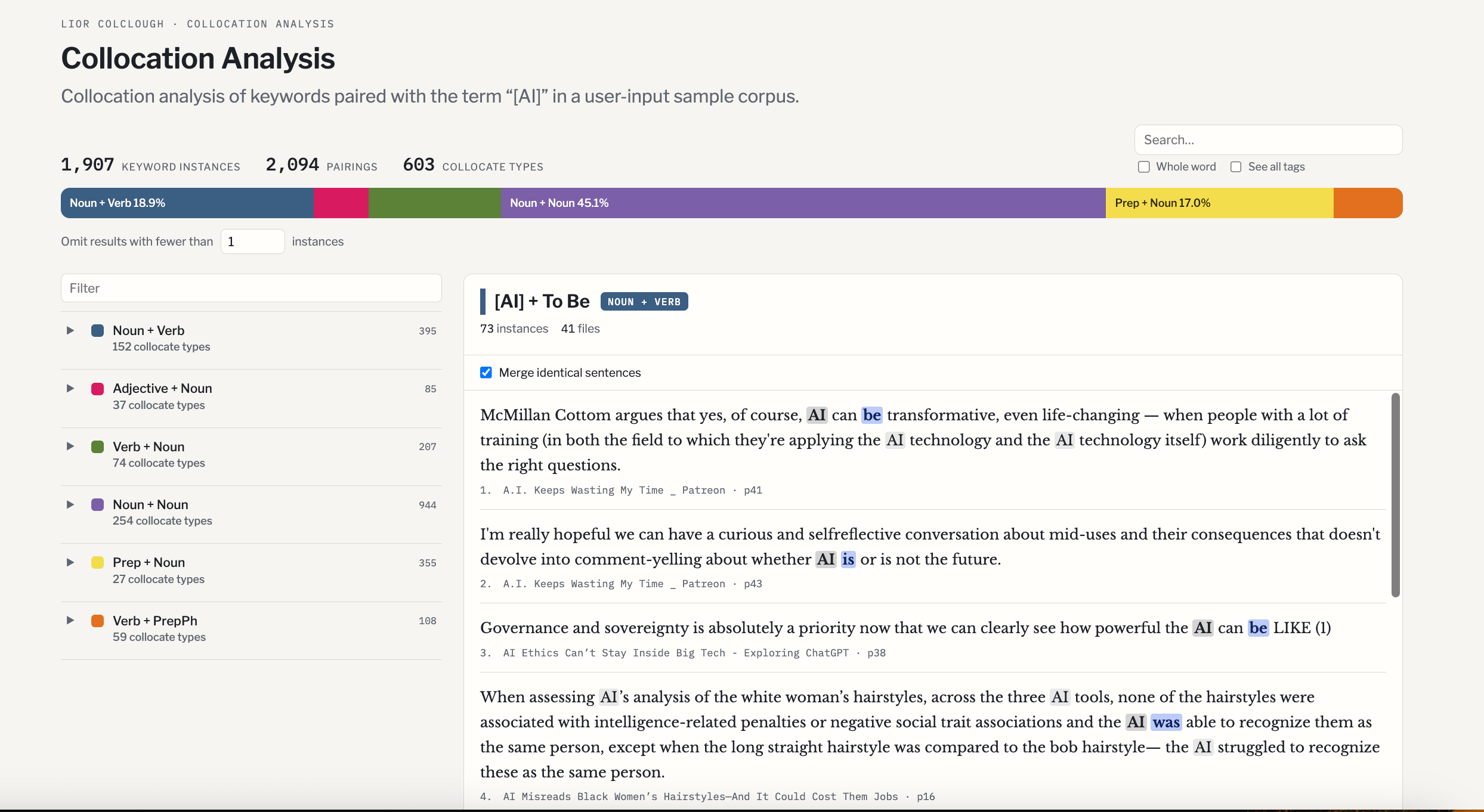
So, with that long-winded disclaimer out of the way, my recent “hobby” project has been to experiment with creating interactive HTML webpages in Claude Opus 5.5 and Sonnet. Specifically, I like the idea of displaying interactive pages for “light” corpus analysis projects. Using extremely detailed, increasingly elaborate prompt-chaining, I have been trying to craft webpage “templates” that could be adapted to other models using small “sample” corpi to “test drive” the different tools. I do not want to lose data again the way I did when Overviewdocs suddenly stopped updating, causing me to lose access to an archive I had spent countless hours meticulously building “by hand” and I absolutely do not find Claude-generated code to be consistently reliable (I already have a few cautionary tales from this week alone!). Since I resigned myself to the reality that Anthropic already has all my data, I have been toying around with crafting amateurish “projects” like the one below.
This one is a draft of a template for a website that archives a corpus analysis keyword frequency project using Halliday’s concept of the 6 Verb Process types in systematic structural linguistics to trace patterns of verbage usage across a corpus of writing about AI. The idea behind this page is to display the frequency of verb type and token in a sample corpus of writing about AI in newspaper opinion pieces, blog posts, and other online media.
Video: Real-time click-through of draft of “Verbal Analysis in AI Public Discourse” 15 October 2026 8:21 am CST
The value of a project like that one in particular would be to use it to inform my own work on agency. Patterns of verb usage can be useful as objects to inform my past writing on ascriptions of agency to nonhuman actants, particularly in political discourse around technologies like bots, algorithms, and (unfortunately, it seems) AI. This “project” is obviously amateurish, but in designing the step-by-step prompts and processes that I use in Claude, I have had to practice thinking strategically about how to quantify and display information in ways that I find useful to future teaching.
Design Choices
Color
Video: Real-time footage of user selecting color scheme for “‘Filter Bubble’ Collocation Analysis” draft 14 Oct 2026
Earlier in the chat session recorded in this video, Claude generated what I thought to be an aesthetically pleasing, simple template with slightly muted colors. Then, as often happens, the AI model arbitrarily changed the shade of the colors while executing a completely unrelated prompt. As often happens when you rely on prompts to produce products you cannot edit yourself, I was unable to return to the older draft.
My prompts had limited success in guiding the model in part due to using subjective values (“professional,” “[not] ugly”) that are difficult for AI to quantify, though my more material quantifier (“color-blind friendly”) also failed to be interpreted correctly by the model. As the video shows, at one point I decided it would be faster to Google the hex codes for aesthetically pleasing colors to copy and paste from Coolers into the chat directly. Then I remembered the reason I made an exception to my “Do Not Give Suggestions” constraint: I have no eye for design!
Eventually, I was able to locate an unused template demo of the original “Filter Bubble” page. I took screenshots of the colors I wanted to use as a reference for the next collocation analysis template I adapted.
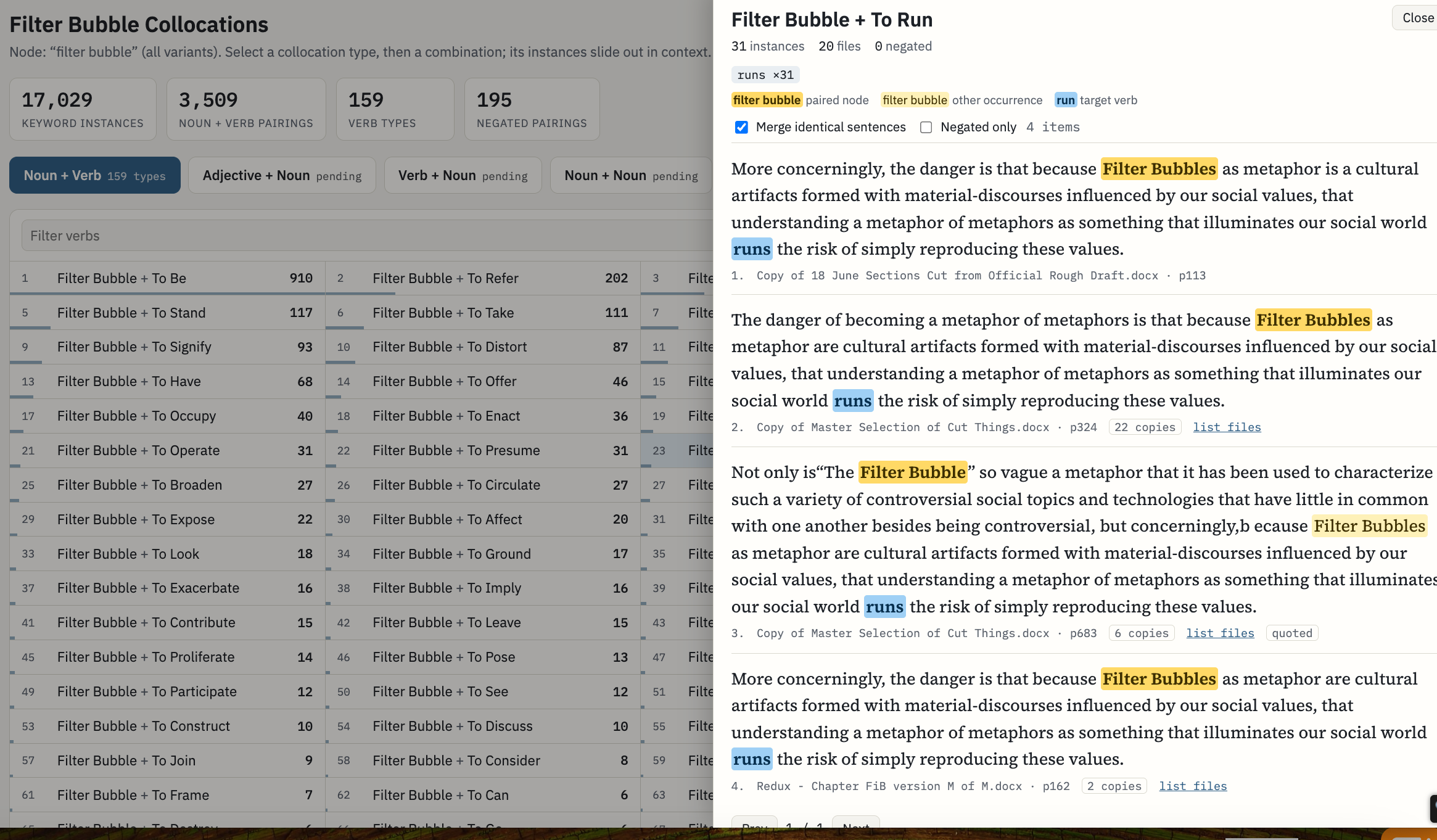


I ended up swiftly moving on from the “filter bubble” “experiment.” I was struck by inspiration to refine the “collocation template to a more suitable idea. Using the screenshot references turned out to be more useful than verbal prompting to get the more “muted” tones I wanted.
Video: Demonstration of live “Collocation Analysis (AI Discourse)” draft 15 Oct 2026 12:01 am CST
Format
I also allowed Claude to provide suggestions for the interface layout for me to select. This was not particularly useful, however, since Claude could not show me exactly what each layout looked like in the web browser without updating the working draft. Updating the working draft in Claude without saving it as a distinct artifact first prevents Claude from going back and editing it if it makes a mistake.
Video: Demonstration of using prompting Claude to suggest layout format 15 Oct 2026
That I could not see the interface completely destroys the point of asking for a preview, and I cannot emphasize how wildly inefficient prompting is compared to manually editing the colors of a webpage. Ultimately, however, my main priority was that someone using the webpage could click on a specific data type, as organized into specific categories (i.e., Halliday’s 6 Verb Process Types, types of collocation), which the resulting project did.
Text Editing
All writing on any published page that has my name on it should be written entirely by me. I do tend to keep whatever gibberish AI spouts to “describe” what it “thinks” the project is while editing the overall format in order to have a sense of space. When making very specific edits, I found it is easiest to write extremely narrow prompts that are difficult for even AI to misinterpret. For example, if the text in the search bar says something that you want to change, I would prompt “change [exact text verbatim] in the search bar to ‘search’” instead of “change the search bar” to try to avoid a visual glitch as much as possible.
Conclusions
Never rely on AI to accomplish what you do not at least know how to do alone to increase the speed of doing it. When you rely on AI tools for creativity, all of your artistry is outscored by a subscription. But since I have to have access to the tools right now to support myself and my sick cat, I might as well branch outside my comfort zone to analyze how I make design choices in web design in light of the “end goals” of my “investigation” by personally, deliberately, actively dictating each step of the process instead of relying on a tool that lacks context to determine the goals of the task.1
Footnotes:
Original video log to document the interface creation process used in this blog post.
Video: Full footage of user “experimenting” with generating color palette and format options for webpage 14 Oct 2026


Leave a Reply